










About Circle Car Game
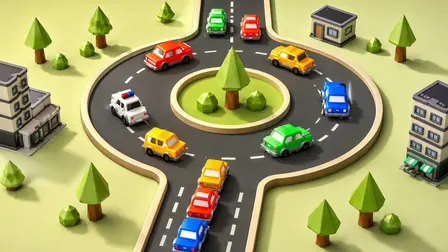
Step into the role of a master traffic controller in the Circle Car Game! Also known as Traffic Car Circle, this fast-paced 3D puzzle puts you in charge of a bustling roundabout where a continuous stream of vehicles must merge seamlessly. Set against a clean, colorful backdrop of sparse green trees and grey rectangular buildings, your goal is to launch waiting cars into the dark grey oval loop without causing a single collision. As the traffic speeds up and the intersections get more hectic, you will need sharp timing and nerves of steel to keep the roads safe.
Why We Recommend Playing Circle Car Game
Finding an arcade puzzle that tests your reaction speed while remaining highly accessible is a great discovery. Here is why this traffic management game stands out:
- Simple One-Touch Controls: The intuitive mechanics make it easy to play anytime, allowing you to focus entirely on timing your merges rather than wrestling with complex inputs.
- Satisfying Loop Mechanics: Successfully slipping a car into a tight gap in fast-moving traffic provides instant, highly rewarding visual feedback.
- Escalating Challenge: As you progress, the speed of the circling traffic increases and the gaps get smaller, providing a steady difficulty curve that truly tests your reaction speed.
- Instant Browser Access: Jump straight into managing the chaotic intersections directly in your web browser with zero download setups required on PC or mobile.
How to Play Circle Car Game
Keeping the intersection clear and crash-free requires perfect timing and careful observation:
- Analyze the Flow: Watch the speed and rhythm of the cars currently circling the main roundabout track.
- Time Your Merge: When a safe, open gap approaches the intersection, launch the next vehicle from your queue.
- Avoid Collisions: A single mistimed launch will cause a massive pile-up and immediately fail the level.
- Clear the Queue: Successfully send every waiting car onto the circular track to win the stage and advance to the next puzzle.
Pro Tips for Traffic Controllers
- Adjust Your Camera: Use the camera controls to rotate and zoom your view. Finding the perfect overhead angle makes it much easier to judge the distance and speed of incoming cars.
- Don’t Rush the Launch: There is no penalty or timer forcing you to launch immediately. Let a cluster of fast-moving cars pass completely before trying to squeeze a vehicle into an unsafely small gap.
- Anticipate Speed Differences: Some cars in the loop move faster than others. Watch a full rotation of the traffic to understand the flow before committing to a tight merge.
Controls
Desktop Controls
- Launch Car: Press the
Spacebar,Wkey,Up Arrow, or Left-Click your mouse to send a car into the intersection. - Rotate Camera: Click and Drag your mouse to orbit the 3D view and find the best angle.
- Zoom: Use the Mouse Scroll Wheel to zoom in and out.
Mobile Controls
- Launch Car: Tap anywhere on the screen to send the next car into the loop.
- Rotate Camera: Swipe or Drag with one finger across the screen to rotate the viewing angle.
- Zoom: Pinch with two fingers to adjust the camera zoom.
👉 Discover more games: Check out our collection of Free Online Action Games for more fast-paced puzzles and arcade challenges!