








About Merge Adventure Game
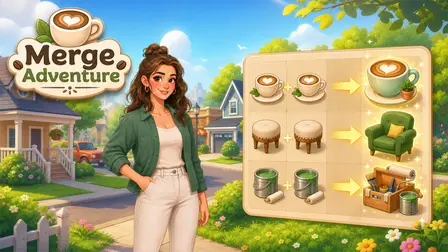
Step into a bright, welcoming community in the Merge Adventure Game, a cozy merge-and-renovate puzzle experience. In this relaxing game, your objective is to combine matching coffee, garden, and renovation items to discover upgraded objects and fulfill specific customer orders. As you complete these requests, you earn rewards that are used to restore and upgrade various areas of the neighborhood step by step. Featuring a heartwarming story, expressive characters, and deeply satisfying merge chains, the game offers a stress-free environment where you can progress at your own pace to build and customize the ultimate community.
Why We Recommend Playing Merge Adventure
Finding a puzzle game that combines relaxing mechanics with a rewarding visual sense of progression makes for a perfect casual experience. Here is why this merge-and-renovate title stands out:
- Relaxing Gameplay: There are no timers, no pressure, and absolutely no fail states. You win by simply fulfilling orders and collecting resources at a pace that suits you.
- Satisfying Progression: Upgrading buildings and restoring the neighborhood provides a constant, tangible sense of achievement as your community physically transforms.
- Engaging Merge Chains: Discovering what two matching items will create next—like turning basic paint buckets into a fully stocked toolbox—keeps the gameplay loop addictive and fun.
- Instant Browser Access: Jump straight into renovating your neighborhood directly in your web browser with zero download setups required on your PC or mobile device.
How to Play Merge Adventure
Restoring the neighborhood requires a bit of matching and careful board management:
- Create Items: Tap or click on your primary producer items to generate new, base-level objects on your puzzle board.
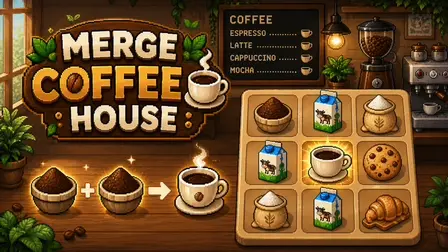
- Merge and Upgrade: Click and drag an item onto an identical item to merge them into a single, higher-level object (e.g., merging two small coffees creates a large latte).
- Fulfill Orders: Keep an eye on the customer requests. Once you have merged the exact items a customer wants, select the completed order to deliver it and earn rewards.
- Renovate the Neighborhood: Spend your earned rewards to complete building upgrades, unlock new neighborhood areas, and progress through the story.
Pro Tips for Neighborhood Renovators
- Manage Your Board Space: Board space is your most valuable resource. Do not mindlessly tap your producer items until the board is completely full; only generate new items when you are actively trying to fulfill a specific customer order.
- Focus on One Goal: Trying to build massive merge chains for three different orders at once will quickly clutter your board. Focus on completing the easiest or most pressing order first to free up space.
- Save High-Level Items: If you accidentally merge an item to a higher level than what your current order requires, do not sell it! Keep it tucked in a corner, as future customer requests will inevitably ask for those difficult-to-make items.
Controls
Desktop Controls
- Interact & Merge: Use your Left Mouse Button to click on producer items or buttons. Click and Drag an item onto an identical one to merge them together.
Mobile Controls
- Interact & Merge: Tap an item or button with your finger. Touch and Drag an item onto an identical one to combine them.
👉 Discover more games: Check out our collection of Free Online Puzzle Games for more cozy merging and relaxing brain teasers!