




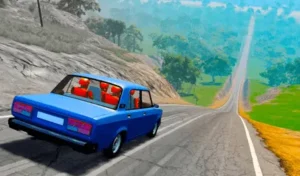




About City Chase: Escape Police Game
Hit the gas and prepare for the ultimate getaway in the City Chase: Escape Police Game. In this fast-paced 3D racing survival game, your objective is to outrun the law and survive a relentless police pursuit through a sprawling city for as long as possible. As your Wanted Level continually rises, the cops become faster and more aggressive. You must rely on sharp reflexes to dodge incoming patrol cars while collecting floating coins and crucial HP boosts to keep your vehicle running. When things get too tight, pick up the devastating Ram Bar power-up to smash police cars and send them flying in fiery explosions. Use your collected coins to fill your garage with a diverse roster of unlockable cars, each featuring unique handling traits to help you beat your best survival time.
Why We Recommend Playing City Chase: Escape Police Game
Finding an endless runner that successfully translates the chaos of a Hollywood car chase into accessible arcade gameplay provides incredible replay value. Here is why this pursuit game stands out:
- Explosive Action: The inclusion of the Ram Bar power-up completely flips the dynamic of the chase, allowing you to go from the hunted to the hunter by smashing cops out of your way.
- Escalating Threat Levels: The rising Wanted Level ensures that the game naturally scales in difficulty, constantly testing your reflexes as more aggressive police units join the chase.
- Rewarding Progression: Collecting coins during your runs gives you a tangible goal, allowing you to unlock new, uniquely statted vehicles from the garage to suit your driving style.
- Customizable Controls: The game offers fantastic accessibility, allowing you to seamlessly switch between auto-acceleration steering and a classic button mode with manual GO and REVERSE pedals.
How to Play City Chase: Escape Police Game
Surviving the city streets requires excellent situational awareness and split-second drifting:
- Evade the Police: Steer your car through the city streets, dodging the police cruisers that will attempt to ram you and deplete your vehicle’s health (HP).
- Collect Resources: Drive into the floating gold coins to build your wealth, and grab the green wrench icons to restore your HP after taking damage from police collisions.
- Unleash the Ram Bar: Look for the Ram Bar power-up. Once equipped, deliberately crash into police cars to destroy them instantly and clear your path.
- Manage Your Camera: Tap the Camera button to drop the view directly behind your car for better precision during tight maneuvers.
- Unlock New Cars: After you are eventually busted, head to the garage and spend your collected coins to purchase faster and more durable vehicles for your next run.
Pro Tips for Getaway Drivers
- Don’t Panic in Corners: The auto-acceleration means your car will always push forward. If you get pinned against a building, hold both sides of the screen (or the
Skey) to quickly reverse and straighten out before the cops swarm you. - Bait the Cops: Police cars will aggressively try to cut you off. You can often bait them into crashing into buildings or each other by feinting a hard turn and quickly snapping back to the center of the road.
- Use the Reset Button: If your car gets completely stuck on a piece of geometry or flipped over, do not wait for the cops to destroy you. Immediately hit the
Rkey or the on-screen Reset button to free your car without ending the run.
Controls
Desktop Controls
- Steer Left:
AorLeft Arrowkey (or Hold Left Mouse Button on the left side of the screen). - Steer Right:
DorRight Arrowkey (or Hold Left Mouse Button on the right side of the screen). - Reverse:
SorDown Arrowkey. - Accelerate:
W,Up Arrow, orSpacebar(Only required if playing in Button Mode; otherwise, the car accelerates automatically). - Reset Car:
Rkey. - Pause:
Esckey.
Mobile Controls
- Steer Left: Hold the left side of the screen.
- Steer Right: Hold the right side of the screen.
- Reverse: Hold both sides of the screen simultaneously.
- Straighten/Auto-Drive: Release your fingers (the car continues accelerating on its own).
- On-Screen Buttons: Tap the Button Mode icon to switch to manual GO and REVERSE pedals. Use the Camera icon to change perspectives, and the Reset icon to free a stuck car.
👉 Discover more games: Check out our collection of Free Online Racing Games for more high-speed pursuits and driving simulators!