





About PopSortica Game
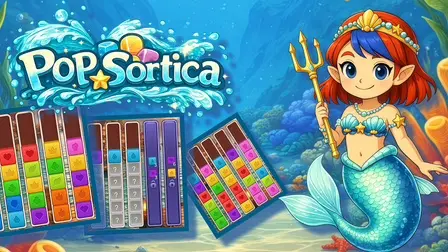
Dive into a refreshing aquatic puzzle adventure in PopSortica Game, the latest chapter in Poppy’s journey! Joining forces with Mermaid Poppy, you embark on a colorful underwater sorting voyage designed to test your spatial reasoning and strategic planning.
Your goal is to organize scattered, multi-colored cubes stacked across underwater columns. Pick up the top cube from any column and transfer it onto another, matching identical colors until every column is neatly organized and cleared. As you plunge deeper into the ocean, the difficulty escalates with special aquatic obstacles, locked columns, mystery question-mark blocks, and strict stacking conditions. Utilize powerful boosters to overcome tricky bottlenecks, clear challenging layouts, and master every level in this relaxing sea-themed brain teaser!
Why We Recommend Playing PopSortica Game
Combining classic stack-sorting mechanics with a vibrant underwater theme and clever obstacle mechanics makes for an engaging puzzle experience. Here is why this sea sorting game stands out:
- Relaxing Underwater Aesthetic: Immerse yourself in colorful aquatic visuals alongside Mermaid Poppy, complete with coral reef backgrounds and sea life graphics.
- Satisfying Color-Match Logic: Simple to learn, highly addictive sorting rules that challenge your foresight and spatial management.
- Dynamic Puzzle Obstacles: Tackle unique challenges like hidden question-mark blocks, locked column slots, and color restrictions.
- Helpful In-Game Boosters: Activate specialized power-ups to undo wrong moves, unlock extra column space, or clear blocking cubes when stuck.
- Gradual Skill Curve: Starts with gentle tutorial stages before introducing complex multi-column sorting layouts.
- Multiplatform Browser Play: Play seamlessly using simple mouse clicks on PC or touch controls on mobile devices with no downloads needed.
How to Play PopSortica Game
Clearing columns efficiently and avoiding gridlocks requires careful sequence planning:
- Select a Top Cube: Click or tap the top cube from any stack to pick it up.
- Match & Place: Click or tap a destination column to place the cube—you can only stack a cube on top of another cube of the exact same color or into an empty column.
- Reveal Hidden Blocks: Sort surrounding cubes to uncover question-mark mystery blocks and inspect hidden colors.
- Utilize Empty Columns: Reserve empty columns as temporary staging areas to organize mixed color stacks.
- Deploy Boosters: Use in-game boosters during difficult stages to free up stuck columns or rearrange troublesome stacks.
- Clear the Board: Group all matching color cubes together until every column is fully sorted and cleared to complete the stage.
Pro Tips for Color Sorters
- Keep an Empty Column Free: Avoid filling your last open column with mixed colors early in a stage; keep at least one free slot open to act as a pivot point for large stack transfers.
- Uncover Hidden Blocks First: Focus your initial moves on clearing stacks that sit above question-mark mystery blocks so you know all available colors on the board.
- Consolidate Full Color Sets: Whenever possible, complete a single full-color stack completely to clear out space and permanently reduce board complexity.
Controls
Desktop Controls (PC & Laptop)
- Select & Place Cubes: Left-Click on a column to pick up the top cube, then Left-Click a destination column to move it.
- Use Boosters & Menus: Left-Click on-screen booster icons, settings, and level UI buttons.
Mobile Controls (Smartphone & Tablet)
- Select & Place Cubes: Tap a column to select the top cube, then Tap another column to transfer it.
- Use Boosters & Menus: Tap directly on on-screen booster icons and interface controls.