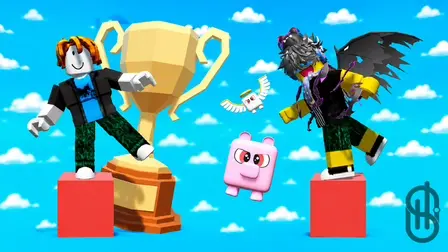


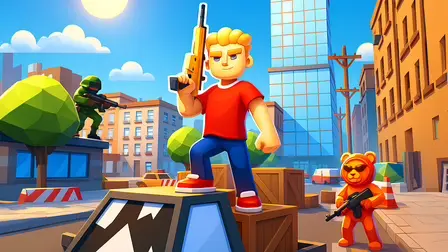



Jump into an exciting multiplayer obstacle challenge in Block Party Obby Game! Test your dexterity, ingenuity, and platforming precision as you compete against other players across dynamic obby courses and mini-games. Navigate tricky platforms, make split-second path decisions, and cross the finish line to earn victory cups and coins. Spend your earnings to unlock stylish character skins, boost your stats, and grow stronger with every win!
Why We Recommend Playing Block Party Obby Game
Finding a Roblox-style obby platformer that combines fast-paced mini-games with character upgrades can be deeply entertaining. Here is why you should add this title to your daily rotation:
- Competitive Mini-Game Variety: Challenge players across a wide range of parkour obstacle courses and survival mini-games.
- Rewarding Progression System: Earn cups and coins from victories to unlock cool character skins and permanent stat upgrades.
- Smooth Platforming Controls: Master responsive jumping, running, and camera mechanics tuned for precision parkour.
- Instant Browser Access: Jump straight into obby mini-games directly in your web browser with zero download setups required on PC or mobile.
How to Play Block Party Obby Game
Outrunning rivals, navigating parkour paths, and collecting victory rewards requires sharp reflexes and smart platforming:
- Navigate Obby Courses: Run, jump, and balance across platforming obstacles to stay ahead of competing players.
- Choose the Right Path: Analyze course layouts quickly to take optimal routes and avoid falling off the map.
- Earn Coins & Cups: Win rounds and reach finish lines to collect currency and competitive trophies.
- Upgrade Character Stats: Spend coins in the shop to improve your character’s speed, jump height, and abilities.
- Unlock Custom Skins: Customize your avatar with unique outfits, wings, and accessories to show off on the leaderboard.
Controls
PC Desktop Controls
- Move: Use
WASDorArrow Keysto run in any direction. - Jump: Press
SPACEBARto leap over gaps and obstacles. - Control Camera: Move the Mouse to rotate your camera view around your character.
Mobile Smartphone Controls
- Move: Drag the virtual joystick on the left side of the Touchscreen to move.
- Jump: Tap the dedicated jump button on the right side of the screen.
- Control Camera: Swipe across the right side of the screen to adjust your camera angle.
Key Features of Block Party Obby Game
- Diverse Obby Mini-Games: Face different agility and logic situations every round.
- Character Customization: Unlock a wide array of avatar skins, wings, and pet companions.
- Stat Upgrades: Boost your character’s attributes to outpace and outjump rival players.
- Competitive Trophies: Earn cups to prove your skills and climb global player rankings.
- Instant Free Browser Play: Join the party immediately on your computer monitor or mobile device with zero setup.