






About Pocket Tile Game
Exercise strategic foresight in Pocket Tile Game, a vibrant number-matching brain teaser where every board placement counts. Played on a compact 5×5 grid, your objective is to position tiles and connect three pieces that share both the exact same number and matching color. Connected matches glow instantly, giving you full tactical control to choose which glowing tile to tap so the newly upgraded higher-tier number consolidates precisely where you need it.
To keep your board clear and navigate tight spaces, take advantage of powerful utility pieces like Paintbrush Change Color tiles to swap neighbor hues and Clone tiles to duplicate adjacent numbers. Featuring three distinct game modes—a fresh shared Daily Puzzle, an expansive 50-level Adventure campaign, and a competitive Rank Game high-score mode—the game pairs charming cartoon visuals with rewarding spatial strategy.
Why We Recommend Playing Pocket Tile Game
Finding a merge puzzle that grants direct control over consolidation positions while integrating dual-attribute matching delivers an engaging mental workout. Here is why this tile-placement puzzle stands out:
- Tactical Consolidation Control: When three tiles match, you choose which glowing position receives the upgraded tile, enabling deliberate setup for chain reactions.
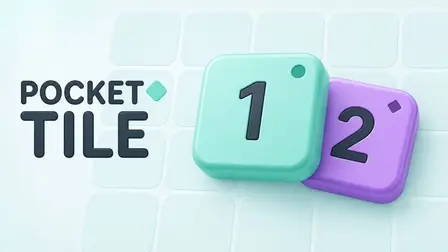
- Dual-Attribute Matching: Matches require both number and color synergy, using mint tiles with circle markers and violet tiles with diamond markers for clear distinction.
- Game-Changing Special Tiles: Deploy directional Clone tiles and Paintbrush recoloring pieces to rescue crowded boards and craft high-tier merges.
- Three Engaging Play Modes: Tackle a daily community board, work through 50 goal-driven Adventure stages, or push your survival skills in the endless Rank Game.
- Clean, Accessible Controls: Designed purely around tap and click mechanics with no keyboard requirements, making it effortless to play on mobile and desktop browsers.
How to Play Pocket Tile Game
Keeping the 5×5 board open requires forward planning, color awareness, and smart tile positioning:
- Check the Next Queue: Monitor the preview indicator to see which number, color, or special utility tile is coming up next.
- Place on the Grid: Click or tap an empty space on the 5×5 grid to place your current tile.
- Connect Three Matches: Align three tiles of identical number and color horizontally or vertically; diagonal lines do not connect.
- Select the Merge Spot: Tap any of the glowing matched tiles to combine the trio—three 1s become a 2, three 2s become a 3, and the upgraded tile stays on the specific tile you tapped.
- Deploy Utility Specials: Position Paintbrush tiles to flip a neighbor between mint and violet, or place Clone tiles to duplicate a matching-color neighbor.
- Achieve Level Targets: In Adventure mode, forge all required goal tiles and maintain them on the board at once to clear the stage.
Pro Tips for Tile Masters
- Direct Merges Away from the Center: When consolidating three glowing tiles, select the outer perimeter tile to keep central grid spaces open for incoming pieces.
- Set Up Pre-Merge Chains: Before tapping a glowing trio to merge, check if the resulting upgraded number will instantly touch two matching numbers nearby to trigger an immediate combo.
- Hold Specials for Bottlenecks: Don’t waste Change Color or Clone tiles on low-value tier 1 tiles; preserve them to fix mismatched colors on rare, high-tier numbers.
- Remember the Shape Markers: If subtle hue differences are hard to distinguish in fast play, rely on the embossed tile icons—circles denote mint tiles and diamonds denote violet tiles.
Controls
Desktop Controls (PC & Laptop)
- Place & Merge Tiles: Left-Click on any empty board slot to place a tile, or Left-Click a glowing tile to trigger a merge.
- Menu Navigation: Left-Click on mode selections, restarts, and UI buttons.
Mobile Controls (Smartphone & Tablet)
- Place & Merge Tiles: Tap an empty square to position a tile, or Tap a glowing piece to merge.
- Menu Navigation: Tap on-screen buttons to access settings, levels, and modes.