





About Paint Your Keyboard Tycoon Game
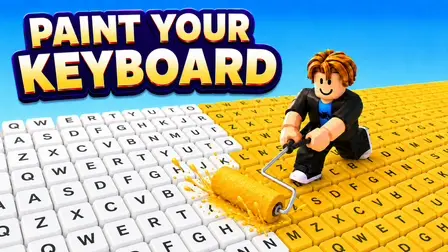
Build the most colorful typing empire in Paint Your Keyboard Tycoon Game! In this vibrant 3D idle management simulator, you control a character rolling bright coats of paint over an expanding field of keyboard keys. Every time you press and color a keycap, you earn instant cash payouts. Refill your roller at paint tanks, upgrade your movement speed, widen your paint roller, and hire helpful worker assistants to press keys alongside you as you transform a tiny layout into a massive, bustling workshop!
Why We Recommend Playing Paint Your Keyboard Tycoon Game
Finding an idle arcade tycoon that blends satisfying color-rolling mechanics with keyboard expansion and assistant automation is deeply enjoyable. Here is why you should add this title to your daily rotation:
- Satisfying Key Painting: Glide your roller over white keycaps to transform them into bright, colorful letter pads that generate cash.
- Worker Automation System: Hire and manage worker assistants who run across keys to press and generate passive profits continuously.
- Progressive Roller & Speed Upgrades: Increase roller width, expand your paint tank capacity, and boost running speed to cover huge sections in seconds.
- Instant Browser Access: Jump straight into keyboard workshop management directly in your web browser with zero download setups required on PC or mobile.
How to Play Paint Your Keyboard Tycoon Game
Expanding your keyboard workshop and scaling your profits requires continuous roller refills and smart reinvestment:
- Roll Paint Over Keys: Move your avatar across unpainted white keycaps with a paint roller to earn money per press.
- Refill Paint Tanks: Head over to the central paint supply station whenever your roller runs dry to replenish your color.
- Upgrade Core Stats: Spend earned cash to boost character speed, expand roller coverage width, and increase paint storage capacity.
- Hire Keyboard Workers: Unlock helper assistants to roam the field and press keys automatically to skyrocket revenue.
- Unlock New Keyboard Zones: Buy access to new keyboard areas and unlock special artists to design a sprawling typing factory.
Controls
PC Desktop Controls
- Move Character: Use
WASDto run across the keyboard field. - Rotate Camera: Hold the Right-Mouse Button and drag the Mouse to look around.
- Camera Zoom: Scroll the Mouse Wheel up and down to zoom in and out.
- Refill Paint: Walk directly into the paint tank to refill your roller.
Mobile Smartphone Controls
- Move Character: Drag the virtual joystick on the Touchscreen to move.
- Rotate Camera: Swipe across open areas of the screen to adjust your view angle.
- Camera Zoom: Pinch two fingers together or pull them apart to zoom in and out.
Key Features of Paint Your Keyboard Tycoon Game
- Satisfying Color Coverage: Watch crisp white keycaps burst into vibrant shades with every roll.
- Tycoon Automation Upgrades: Hire workers and unlock self-painting artists for passive profit streams.
- Massive Keyboard Expansion: Unlock rows of alphanumeric keys, spacebars, and function rows.
- Intuitive Dual Controls: Responsive keyboard/mouse and touchscreen controls for PC and mobile.
- Instant Free Browser Play: Paint and expand your keyboard factory immediately on your computer monitor or mobile device with zero setup.