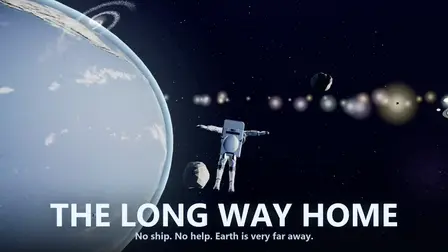










Survive the lonely expanse of deep space in The Long Way Home Space Game! Your ship is gone, leaving you far from Earth with only a spacesuit, a finite fuel tank, and the oxygen in your lungs. Guided by your chest-mounted AI assistant VESTA, your survival relies on understanding realistic orbital mechanics: thrust is precious, but drift is entirely free. Utilize planetary gravity slingshots to save fuel, scan for abandoned supply stations, crack open sealed containers, and navigate dangerous debris fields to make it back to Earth!
Why We Recommend Playing The Long Way Home Space Game
Finding a realistic space survival simulator that focuses on momentum, fuel management, and gravity physics can be intensely rewarding. Here is why you should add this title to your daily rotation:
- Physics-Based Space Inertia: Master realistic momentum where every thruster burn spends irreplaceable fuel, making gravity slingshots essential for long journeys.
- Intelligent AI Companion: Guidance from VESTA, your chest-mounted assistance unit, keeps you informed of wrong headings and environmental hazards.
- Resource Management Strategy: Scan abandoned supply stations, crack sealed containers, and navigate dangerous debris fields at low speeds to survive.
- Instant Browser Access: Jump straight into zero-gravity space navigation directly in your web browser with zero download setups required on PC or mobile.
How to Play The Long Way Home Space Game
Reaching Earth before your oxygen runs out requires precise thruster burns, strategic mapping, and smart momentum management:
- Conserve Fuel with Short Burns: Tap the thruster sparingly; rely on free drift and planetary gravity slingshots to cover vast distances.
- Slow Down with Retrograde Burns: Turn your suit around and activate the stop control to reduce speed when approaching destinations or debris fields.
- Use Battery-Powered Ion Drives: Activate the weak electric ion drive for subtle course adjustments without expending main thruster fuel.
- Scan for Supplies & Debris: Perform environmental scans to highlight nearby supply stations, containers, and hazardous rock clusters.
- Plan Destinations on the Map: Open the planning map to set waypoints, converting your scanner into a precise navigational compass.
Controls
PC Desktop Controls
- Aim & Look: Click and drag the Mouse across the screen to look around and target your heading.
- Thrust & Retrograde: Press
SPACEBARor click ENGINE for main thruster burns; pressXor click STOP to flip retrograde and brake. - Drift & Ion Drive: Press
Zor click DRIFT to streamline your suit; pressVor click ION DRIVE for electric battery thrust. - Scan, Repair & Map: Press
F(SCAN) to highlight supplies,T(REPAIR) to fix suit damage, andTABto open the planning map.
Mobile Smartphone Controls
- Aim & Look: Touch and drag across the Touchscreen to adjust your viewing angle and aim your trajectory.
- Actions & Thrusters: Tap dedicated on-screen buttons for ENGINE (thrust), STOP (retrograde brake), DRIFT, ION DRIVE, SCAN, and REPAIR.
- Planning Map: Tap the small map icon on screen to open the full navigation display and select waypoints.
Key Features of The Long Way Home Space Game
- Realistic Inertia & Gravity Physics: Use orbital gravity slingshots around celestial bodies to save precious fuel.
- Interactive AI Guidance System: Features VESTA, a chest-mounted assistance unit that monitors your flight path and suit systems.
- Deep Space Exploration: Discover abandoned supply stations, hidden containers, and dense debris fields.
- Comprehensive Navigation Tools: Utilize onboard scanners, direction compasses, and full tactical star maps.
- Instant Free Browser Play: Journey across deep space immediately on your computer monitor or mobile device with zero setup.