








About Craft the War Game
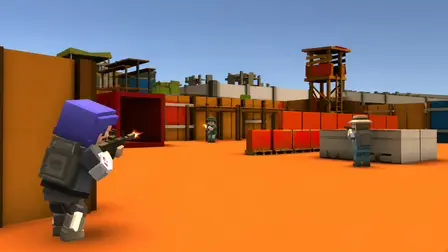
Step onto the frontline in Craft the War Game (also known as Craft Theft War), an online first-person shooter set across compact industrial arenas. Jump into active lobbies or create your own custom multiplayer rooms to compete against players worldwide in high-stakes team objectives and free-for-all matches. Featuring responsive gunplay, varied weapon classes, drivable vehicles, and distinct character selections, every battle offers tactical variety. Coordinate with your squad to hit the winning score target, or outshoot everyone in deathmatch modes to claim the top spot on the scoreboard before time expires.
Why We Recommend Playing Craft the War Game
Finding a web-based shooter that pairs classic block-style graphics with competitive FPS gunplay delivers an engaging multiplayer experience:
- Custom Multiplayer Rooms: Host private matches with custom rules or enter public lobbies to compete against real opponents in team and free-for-all modes.
- Versatile Tactical Arsenal: Equip diverse weapon categories to fit close-quarters skirmishes or long-distance sightlines.
- Vehicular Combat: Commandeer vehicles scattered across the industrial battlefield to flank enemy positions and provide mobile fire support.
- Complete FPS Movement Kit: Sprint across open ground, leap obstacles, and crouch behind low barriers for cover during heated firefights.
- Instant Multiplatform Browser Play: Jump straight into combat directly within your web browser on desktop PC or mobile devices with zero download installations required.
How to Play Craft the War Game
Dominating the industrial warzone requires sharp aim, map awareness, and smart tactical positioning:
- Enter a Match: Join an active room or create a custom game lobby, selecting between team-based skirmishes and free-for-all deathmatches.
- Choose Character & Loadout: Select your operative and equip your preferred weapon setup before deploying onto the map.
- Navigate the Arena: Use tactical movement, sprinting between shipping containers and using corners to break enemy line of sight.
- Aim & Eliminate Rivals: Use your right mouse button to aim down sights for greater accuracy and take down opposing soldiers with well-timed bursts.
- Switch Weapons Fast: Cycle to sidearms or secondary weapons using the number keys or mouse wheel when your primary magazine runs dry mid-fight.
- Complete the Objective: Work with your team to reach the match score cap first, or secure the highest solo kill count before the match timer runs out.
Pro Tips for Combat Soldiers
- Crouch for Tighter Accuracy: Tapping
CtrlorCto crouch steadies your weapon reticle, significantly tightening bullet spread during medium-to-long-range engagements. - Reload Behind Cover: Always hit
Rwhile safely tucked behind shipping crates or walls rather than reloading out in wide-open corridors. - Check the Scoreboard Often: Hold
Tabto track current point tallies and keep tabs on top-performing opponents so you can counter their rotations. - Utilize Watchtowers Wisely: Elevated towers offer vantage points across the compound, but leave you exposed from multiple angles; take a few quick shots and reposition immediately.
Controls
Desktop Controls (PC & Laptop)
- Move:
W,A,S,D - Look & Aim: Move your Mouse
- Fire / Shoot: Left Mouse Button
- Aim Down Sights (ADS): Right Mouse Button
- Reload:
R - Jump:
Spacebar - Sprint:
Shift - Crouch:
CtrlorC - Switch Weapons: Number Keys (1–9) or scroll the Mouse Wheel
- View Scoreboard:
Tab - Pause Menu:
Esc
Mobile Controls (Smartphone & Tablet)
- Move: Use the On-Screen Movement Joystick on the left.
- Aim & Look: Drag your finger across the Right Side of the Screen.
- Fire, Jump & Crouch: Tap the dedicated on-screen action buttons.
- Reload & Switch Weapons: Tap the on-screen reload and weapon selector icons.
👉 Discover more games: Check out our collection of Free Online Action Games for more multiplayer shooters, arena battles, and combat simulators!