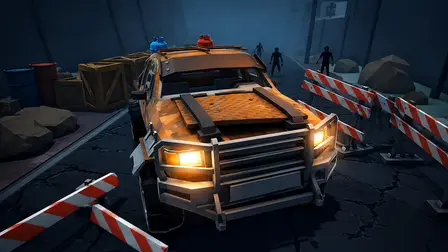












About Cars vs Zombies Game
Survive the post-apocalyptic wasteland behind the wheel in Cars vs Zombies Game, an arcade vehicular survival action combat experience. Take control of heavy-duty vehicles, smash through relentless waves of incoming zombies, and plow through destructible environments across multiple battle arenas.
Every run tests your driving precision and offensive power. Defeat the undead to gather vital resources, then head into the garage to customize and enhance your machinery. Boost base vehicular stats, bolt on protective armor plating to withstand heavy impacts, and install high-powered rocket nitro thrusters to break out of tight blockades. Armed with roof-mounted weaponry and bullet-time slow-motion abilities, navigate treacherous tracks, clear barricades, and turn zombie hordes into roadkill across multiple distinct maps.
Why We Recommend Playing Cars vs Zombies Game
Combining fast-paced arcade driving physics with visceral zombie demolition delivers an exciting and action-packed survival loop. Here is why this vehicular combat game stands out:
- Brutal Vehicular Carnage: Mow down dense swarms of zombies and smash through interactive environmental hazards, barricades, and roadblocks.
- Garage Customization & Upgrades: Spend collected resources to upgrade vehicle performance, equip attachable armor kits, and install high-speed rocket boosters.
- Mounted Weapon Firepower: Utilize primary mounted weapons to pick off targets from a distance before running down the rest of the horde.
- Tactical Slow-Motion Mechanic: Trigger bullet-time slow-mo to line up precision shots, correct dangerous drifts, or execute tight maneuvers around roadblocks.
- Mid-Air Tilt Stabilization: Maintain full control over vehicle pitch and balance during jumps to land smoothly and preserve forward momentum.
- Instant Multiplatform Play: Jump directly into the arena via your web browser on desktop or mobile devices with zero download or setup requirements.
How to Play Cars vs Zombies Game
Surviving arena waves and engineering the ultimate combat rig requires controlled acceleration, weapon aim, and strategic spending:
- Accelerate & Ram: Step on the gas to build velocity; ram directly into zombie clusters to crush them under your armored chassis.
- Shoot Down Distant Hazards: Use your left mouse button to fire your mounted machine guns at explosive barrels and distant threats before they reach your front bumper.
- Trigger Slow-Motion: Activate slow-mo (
Right Mouse Button) when entering dense choke points to weave safely past heavy barricades or execute sharp turns. - Engage Rocket Nitro: Fire your boosters using
Left ShiftorSpacebarto burst through solid barriers or break free when swarmed by the horde. - Stabilize Airborne Jumps: Use left and right steering controls while in the air to level your car flat against the ground to prevent rollovers.
- Upgrade in the Garage: Reinvest scrap and resources after each match to reinforce body armor, boost horsepower, and purchase advanced vehicle types.
Pro Tips for Zombie Drivers
- Preserve Nitro for Entanglements: Avoid burning through your entire booster tank on open straights; save nitro charges for moments when heavy zombie mobs reduce your speed to zero.
- Explode Barrels from Afar: Use your mounted weapon to detonate red explosive barrels right as a horde marches beside them, clearing the roadway without risking chassis damage.
- Smooth Airborne Landings: Always level out your car using mid-air tilt controls before touching down from ramps; rough angled landings bleed valuable forward momentum and leave you open to rear ambushes.
Controls
Desktop Controls (PC & Laptop)
- Accelerate (Gas):
WorUp Arrow - Brake / Reverse:
SorDown Arrow - Steer & Air Balance (Tilt in Flight):
A/DorLeft/Right Arrowkeys - Rocket Booster (Nitro):
Left ShiftorSpacebar - Fire Mounted Weapon: Left Mouse Button (LMB)
- Trigger Slow-Mo: Right Mouse Button (RMB)
- Pause Menu:
Esc,P, orTab
Mobile Controls (Smartphone & Tablet)
- Gas & Reverse: Tap the dedicated On-Screen Pedals
- Steer & Air Balance: Tap the On-Screen Left / Right Buttons
- Nitro Boost: Tap the on-screen Nitro Button
- Pause & Settings: Tap the pause icon in the corner of the display