







About BuildCraft Game
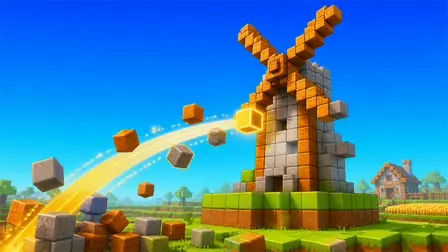
Step into a vibrant, endless voxel world in the BuildCraft Game, a creative 3D block-building simulator. Whether you are an experienced virtual architect or a beginner looking for a relaxing creative outlet, this game allows you to turn construction plans into beautiful finished builds. You can choose a specific project—like a cozy house, a rustic well, or a towering windmill—and place blocks inside a guided, transparent outline to bring the structure to life. With complete freedom to move, jump, and fly around your world, you have access to a full creative inventory to place or remove blocks whenever you want. Complete the guided blueprints at your own pace, or ignore them entirely to shape the terrain and construct your own massive custom designs.
Why We Recommend Playing BuildCraft Game
Finding a voxel builder that offers both structured goals and unlimited creative freedom is perfect for relaxing gameplay. Here is why this 3D building simulator stands out:
- Guided Blueprints: The transparent block outlines take the guesswork out of building complex structures, making it incredibly satisfying to watch a building come together piece by piece.
- Unlimited Resources: You do not have to punch trees for hours. The creative inventory gives you instant access to every material you need to start building immediately.
- Total Freedom: The ability to toggle flight lets you easily construct tall towers and roofs without needing to build temporary scaffolding.
- Instant Browser Access: Jump straight into your personal voxel world directly in your web browser with zero download setups required on your PC or mobile device.
How to Play BuildCraft Game
Bringing your architectural visions to life is simple and intuitive:
- Select a Project: Open the Buildings menu and choose a structure you want to create. A transparent outline of the build will appear in the world.
- Select Your Materials: Open your creative inventory to select the specific blocks required for the build and assign them to your quick-access hotbar.
- Place the Blocks: Follow the transparent guide and place your selected blocks into the outlined spaces until the structure is fully solid and complete.
- Shape the World: Hold down your removal button to dig into the ground, flatten mountains, or clear space for your next massive project.
- Take Flight: Toggle your flight mode to easily reach high places and admire your finished creations from above.
Pro Tips for Master Builders
- Utilize Flight for Roofs: Building roofs and tall structures like the windmill from the ground can be frustrating. Always toggle your flight mode (
F) to hover directly above your work area for perfect block placement. - Organize Your Hotbar: Before you start a large blueprint, open your inventory and organize your
1-9hotbar with the primary materials you will need so you don’t have to keep opening the main menu. - Clear the Canvas: If you want to build a custom design, spend a few minutes flying around to find a naturally flat area, or use your block removal tool to level a large square of terrain before laying your foundation.
Controls
Desktop Controls
- Move:
W,A,S,Dkeys. - Look Around: Move your Mouse.
- Jump:
Spacebar. - Sprint:
Left Shift. - Place Block:
Right-Click. - Remove Block: Hold
Left-Click. - Inventory:
EorIkeys. - Select Item: Number keys
1–9. - Buildings Menu:
B. - Toggle Flight:
F. - Settings:
Esc.
Mobile Controls
- Move & Look: Use the On-Screen Joystick to move and swipe the screen to look around.
- Actions: Use the On-Screen Buttons to jump, fly, place/remove blocks, select buildings, and open the creative inventory.
👉 Discover more games: Check out our collection of Free Online Building Games for more creative simulators and voxel adventures!