





About Parkour Run: 3D Runner Game
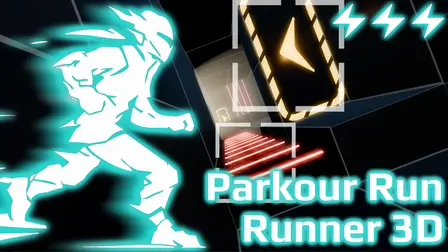
Sprint into high-speed obstacle courses in Parkour Run: 3D Runner Game (also known as Parkour Run — Runner 3D), a dynamic, minimalist 3D speedrunner where every split second matters. Set in a futuristic cybernetic landscape, the game strips away visual clutter with clean level geometry, keeping your complete focus on momentum, reflexes, and finding the fastest line through each hazard.
You will combine acrobatic parkour mechanics—including wall-running, floor slides, leap maneuvers, and ledge grabs—to traverse hazardous corridors filled with laser traps, trampolines, and acceleration dash pads. Beginning with an intuitive tutorial in Level 1, each subsequent stage presents a high-speed routing puzzle where straight-line acceleration and instant reactions are needed to smash time records and secure coveted 3-star ratings.
Why We Recommend Playing Parkour Run: 3D Runner
Finding a 3D runner that focuses on authentic parkour physics and precise momentum preservation delivers a thrilling challenge for speedrunners. Here is why this minimalist runner stands out:
- Fluent Parkour Acrobatics: Chain wall-runs, fluid slides, leaping bounds, and ledge grabs together seamlessly to sustain maximum forward speed.
- Minimalist Visual Clarity: Clean level geometry removes distractions, allowing you to clearly read upcoming corners, traps, and jump distances.
- High-Speed Traps & Boosters: React instantly to dodge hazardous floor lasers, hit directional dash pads for explosive velocity, and bounce off trampolines to clear wide chasms.
- Time-Attack Depth: Master the optimal trajectory through each level to beat par times, earn 3-star ratings, and unlock demanding new courses.
- Responsive Multiplatform Controls: Fully customizable controls, including an adjustable virtual joystick for touchscreens and precise keyboard inputs for desktop browsers.
How to Play Parkour Run: 3D Runner Game
Reaching the finish line and unlocking 3-star rankings requires disciplined steering and agile acrobatic timing:
- Sprint Forward: Run down the course toward the finish line; your character reaches top speed when traveling directly straight forward.
- Wall-Run Across Chasms: Steer into and hold your direction against vertical walls to initiate a wall-run over bottomless drops.
- Push Off Walls: Press jump while wall-running to kick off the surface and launch toward the opposite platform or wall.
- Slide Under Low Obstacles: Initiate a slide to duck beneath glowing laser beams, adjusting your left or right heading even while sliding.
- Hit Speed Boosters: Target floating dash pads to trigger bursts of acceleration and bounce on trampolines for extra vertical lift.
- Complete the Time-Attack: Reach the goal portal as quickly as possible to beat target times and secure a 3-star rating on every course.
Pro Tips for Parkour Speedrunners
- Minimize Turning: Because maximum speed is achieved moving in a straight line, avoid unnecessary zig-zagging; plan turns well in advance to take the flattest possible angle through chicanes.
- Steer Through the Slide: Remember that slides do not lock your camera or movement vector; you can steer laterally while sliding to round corners while staying safely under low lasers.
- Quick-Reset Mistakes: In time-attack runs, a single clipped wall or mistimed jump will ruin a 3-star pace; tap
Ron desktop to instantly reset the stage and try again. - Tune Mobile Joystick Bounds: If playing on a touchscreen, open the Options menu to scale the virtual joystick to a size that matches your thumb reach for faster jump and slide transitions.
Controls
Desktop Controls (PC & Laptop)
- Move Left / Wall-Run Left:
AorLeft Arrow(hold toward wall) - Move Right / Wall-Run Right:
DorRight Arrow(hold toward wall) - Jump / Push Off Wall:
Spacebar - Slide:
Shift(allows left/right steering while sliding) - Quick Restart:
R
Mobile Controls (Smartphone & Tablet)
- Activate Joystick: Tap anywhere on screen to spawn the floating virtual joystick.
- Idle: Keep your finger in the Center of the joystick ring.
- Jump: Move and hold in the Top Area.
- Move Left / Wall-Run: Move and hold in the Left Area.
- Move Right / Wall-Run: Move and hold in the Right Area.
- Slide: Move and hold in the Bottom Center.
- Slide + Steer Left: Move and hold in the Bottom Left Area.
- Slide + Steer Right: Move and hold in the Bottom Right Area.
- Adjust Controls: Scale joystick sensitivity and size in the in-game Options menu.