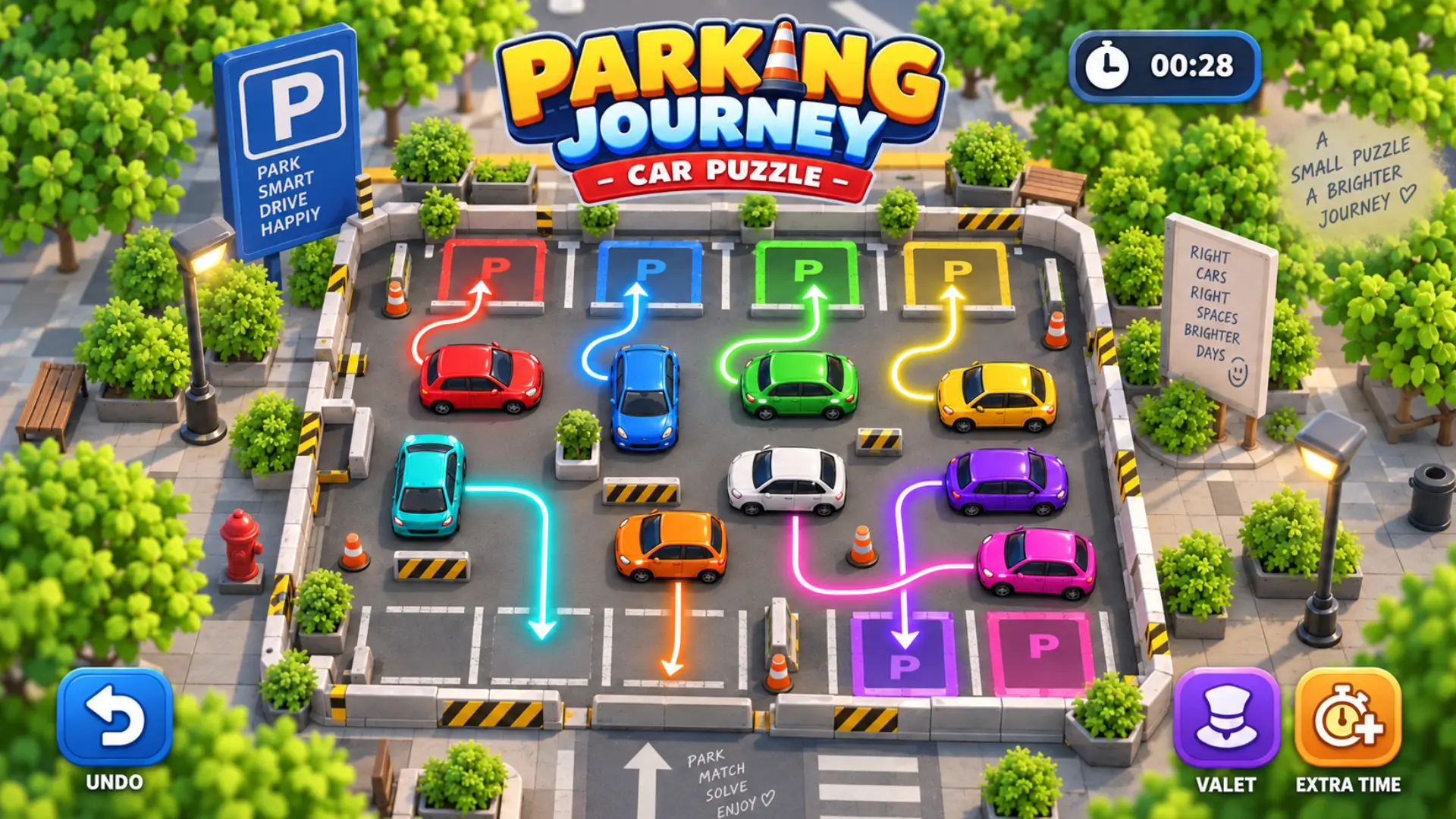












About Parking Journey: Car Puzzle Game
Put your spatial planning and logic skills to the test in Parking Journey: Car Puzzle Game, a dynamic brain teaser where you act as the ultimate traffic controller. Your primary goal is to move every vehicle in a crowded lot to the specific parking bay that perfectly matches its color before the timer completely runs out.
Unlike standard unblock puzzles, this game puts you in direct control of the route. You must hold a car and physically draw the path you want it to follow, forcing you to think several steps ahead to avoid blocking other vehicles. Sometimes the key to victory is repositioning the “wrong” car into a temporary empty space just to free the vehicle you actually need. With a massive campaign spanning 5,000 levels and 50 chapters, the game continuously introduces tighter time limits, new parking-lot shapes, and up to six different car colors to keep the puzzles fresh and challenging.
Why We Recommend Playing Parking Journey: Car Puzzle Game
Finding a puzzle that blends path-drawing mechanics with classic sliding logic offers a highly engaging daily brain workout. Here is why this parking game stands out:
- Massive Level Campaign: Enjoy a staggering 5,000 solvable levels divided across 50 progressive chapters.
- Creative Path Drawing: Do not just tap to move; physically draw the exact route you want your selected car to drive.
- Strategic Repositioning: Utilize temporary parking spots and open spaces to shift blocking cars out of the way.
- Helpful Puzzle Boosters: Spend earned rewards on powerful boosters like the Valet (automatically parks a car), Extra Time (adds 60 seconds), or Undo (reverses a bad move).
- Extensive Lobby Activities: Take a break from the lot with extra game lobby activities, including a lucky wheel, jigsaw puzzles, card collections, and daily quests.
How to Play Parking Journey: Car Puzzle Game
Clearing the lot requires careful sequencing and an eye for color matching:
- Select a Vehicle: Press or hold down on the car you want to move.
- Draw the Route: Drag your finger or cursor to draw a path from the car to its matching colored parking bay, or tap an available position for a shorter route.
- Clear the Way: If a car is trapped, draw a path for the blocking vehicles to move them into temporary empty spaces first.
- Beat the Clock: Keep a close eye on the timer at the top of the screen; the entire lot must be cleared before time runs out.
- Use Your Tools: If you make a critical error, use the Undo button to reverse it, or deploy the Valet booster if you are completely stuck.
Pro Tips for Parking Masters
- Work Backwards: Look at the deepest, most trapped cars first. Figure out which vehicles need to move to free them, and prioritize clearing those outer layers.
- Don’t Fear Temporary Spots: A wrong temporary parking spot is not a mistake. Use empty colored bays as temporary holding zones for off-color cars if it allows you to untangle a major traffic jam.
- Save the Extra Time: Only use the Extra Time booster (+60 seconds) if you already have the solution figured out and just need a few more seconds to execute the final animations.
Controls
Desktop Controls (PC & Laptop)
- Select & Route Car: Click and Hold a car with the Left Mouse Button, Drag to draw the route, and release to let the car drive. Alternatively, Click an available position to move it via a shorter route.
- Use Boosters: Left-Click the Undo, Valet, or Extra Time icons.
Mobile Controls (Smartphone & Tablet)
- Select & Route Car: Press and Hold a car with your finger, Drag across the screen to draw the path, and release. You can also Tap an empty spot for quick movement.
- Use Boosters: Tap the on-screen booster icons.