






About Oddly Sorted: Color Sort Game
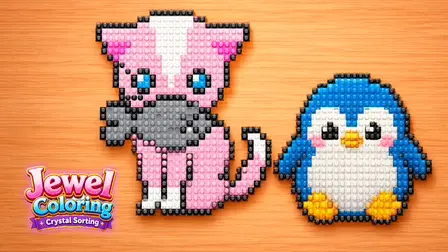
Test your spatial planning and logic in Oddly Sorted: Color Sort Game, a highly satisfying block-sorting puzzle. Your goal is to carefully sort colorful blocks into their matching front boxes to clear the board and uncover 49 original pixel-art reactions hidden underneath.
Success requires you to plan your front-box order and manage your limited slots carefully so you can clear the portrait without filling every available space. Designed for players aged 13 and up, the game provides a relaxing but thoughtful challenge where helpful tools like undo, shuffle, hints, and extra slots are completely free to use whenever you get stuck.
Why We Recommend Playing Oddly Sorted: Color Sort Game
Finding a puzzle that blends satisfying sorting mechanics with charming pixel-art reveals creates a relaxing daily brain teaser. Here is why this color sort game stands out:
- Unique Art Reveals: Successfully sorting the blocks uncovers 49 fun, original pixel-art reactions.
- Strategic Slot Management: Requires careful planning to collect blocks without filling every slot and trapping yourself.
- Free Puzzle Tools: Enjoy a stress-free experience with completely free access to undo, shuffle, hints, and extra slots.
- Customizable Experience: Easily open the settings menu at any time to pause your progress or adjust the procedural sound.
- Accessible Controls: Play effortlessly with simple click, tap, or keyboard queue number inputs.
How to Play Oddly Sorted: Color Sort Game
Clearing the board without running out of space requires careful observation of the block layers:
- Target Reachable Blocks: Look at the pixel-art portrait to identify which colorful blocks are currently exposed and reachable.
- Collect Colors: Tap, click, or use keyboard numbers to select a front box and collect the reachable blocks of its matching color.
- Plan Your Order: Carefully plan your front-box order so you do not completely fill your limited slots with mismatched blocks.
- Reveal the Portrait: Continue clearing the colored blocks to fully uncover the hidden pixel-art reaction.
- Use Free Helps: If you make a mistake or get stuck, utilize the free undo, shuffle, hint, or extra slot options to keep your run alive.
Pro Tips for Block Sorters
- Work Top-Down: Always focus on clearing the blocks that free up the most underlying pieces first. If collecting one blue block reveals three yellow blocks, prioritize the blue block.
- Don’t Hoard Helpers: Because the undo, shuffle, and hint features are completely free, there is no reason to let your board become hopelessly jammed. Undo your moves immediately if you realize a box order was inefficient.
- Watch Your Slots: Before committing to a color, mentally count how many reachable blocks of that color exist on the board. If there are not enough to clear the box, ensure you have enough remaining slots for other colors.
Controls
Desktop Controls (PC & Laptop)
- Collect Blocks: Click a front box with your mouse to collect reachable blocks of its color.
- Keyboard Shortcut: Press the corresponding queue number on your keyboard to select a box instead of clicking.
- Settings: Click the Settings icon to pause the game or change the sound.
Mobile Controls (Smartphone & Tablet)
- Collect Blocks: Tap a front box on the screen to collect reachable blocks of its color.
- Settings: Tap the Settings icon to pause or adjust the audio.