







About Mosaicat Game
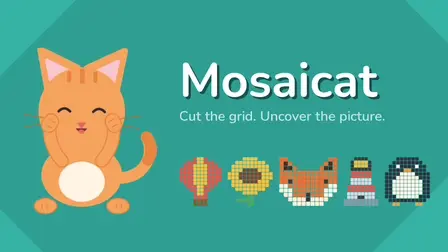
Uncover charming hidden artwork one careful cut at a time in Mosaicat Game, a calming, brain-teasing Shikaku-style grid puzzle. Every level presents a grid populated by scattered numbers that dictate the exact area of the rectangle they belong to. For instance, a number 6 must reside inside a rectangle consisting of precisely six squares—such as a 1×6, 2×3, 3×2, or 6×1 formation.
As you deduce and draw each correct boundary across the board, the tiles underneath reveal colorful fragments of an unseen pixel mosaic—such as a cactus, a teapot, a lighthouse, or an adorable fox. With no countdown timers, no lives to lose, and no penalties for invalid moves, the puzzle lets you contemplate solutions entirely at your own pace. Featuring 757 verified, single-solution stages, ten light and dark color themes, and an orange cat companion named Tuna who celebrates your victories, Mosaicat provides a tranquil and mentally stimulating puzzle escape.
Why We Recommend Playing Mosaicat Game
Finding a geometric logic puzzle that balances rigorous deduction with relaxing, pressure-free presentation makes for an exceptionally satisfying experience. Here is why this rectangle-carving mosaic game stands out:
- 757 Machine-Verified Puzzles: Every single board is mathematically verified to possess exactly one unique solution, eliminating guesswork and rewarding pure logical reasoning.
- Emergent Mosaic Art: Rather than merely unlocking an image upon completion, the artwork gradually materializes segment by segment directly from your correct moves.
- Zero Stress or Pressure: Free of ticking clocks, life counters, or failure states; incorrect rectangles are simply refused without penalty so you can instantly try another idea.
- Rich Visual Customization: Features ten distinct light and dark color themes alongside soothing soundscapes to match your visual comfort.
- Adaptive Replayability: Puzzles expand in complexity as you progress, and reaching the conclusion allows you to tackle fresh puzzle partitions on your favorite completed images.
- Instant Multiplatform Play: Effortlessly draw rectangles using mouse drags on desktop or single-finger swipes on mobile browsers with zero downloads required.
How to Play Mosaicat Game
Carving up the grid and revealing the hidden mosaic requires simple rules and focused deduction:
- Inspect the Numbers: Locate an isolated number on the board and evaluate its geometric factors to determine what rectangle shapes it can form (e.g., a 4 can be 1×4, 2×2, or 4×1).
- Draw the Rectangle: Hold your mouse button or press your finger down and drag across the grid to encompass the target area, then release to place it.
- Follow Core Placement Rules:
- Each rectangle must cover exactly one number.
- That number matches the exact total square count inside the rectangle.
- Rectangles can never overlap one another.
- Every single square on the entire grid must end up inside a valid rectangle.
- Reveal Hidden Segments: Once a valid shape is placed, its tiles instantly transform into a colorful piece of the hidden picture.
- Use Built-In Hints: If you get stuck on a difficult board layout, use the hint tool to automatically reveal one correct rectangle.
- Clear the Board: Enclose every square on the grid to complete the mosaic and welcome Tuna the cat!
Pro Tips for Grid Solvers
- Corner and Edge Numbers First: Numbers located along edges or in corners have drastically fewer orientation options; solve them first to lock down border boundaries.
- Prime Numbers are Straight Lines: Numbers like 2, 3, 5, and 7 cannot form multi-row boxes; they can only form straight 1-square-wide strips, making their potential paths much easier to trace.
- Watch for Stranded Grid Tiles: Every single square must be part of a rectangle; never draw a box that leaves an isolated 1×1 blank square behind that no surrounding number can legally reach.
Controls
Desktop Controls (PC & Laptop)
- Draw Rectangle: Click and Drag with the Left Mouse Button across grid cells, then Release to place.
- Hint: Left-Click the lightbulb/hint icon to reveal one correct rectangle.
- Restart: Left-Click the restart icon to wipe the current board and start fresh.
- Settings: Left-Click the gear icon to adjust audio and switch between 10 color themes.
Mobile Controls (Smartphone & Tablet)
- Draw Rectangle: Press and Drag your finger across the grid, then Lift your finger to place.
- Hint: Tap the hint button to uncover a rectangle.
- Navigation: Tap on-screen icons to access settings, themes, and board resets.