






About Guess the Craft: Blocky Recipes Game
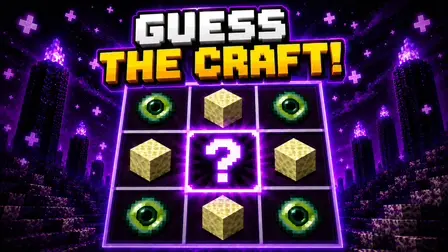
Put your sandbox crafting knowledge to the test in Guess the Craft: Blocky Recipes Game, a brain-teasing puzzle where familiar voxel items must be reconstructed entirely from memory. You are placed in front of a standard 3×3 crafting grid loaded with raw materials, but knowing what you want to make is only half the battle. After every placement attempt, color-coded feedback reveals how close you are to the correct blueprint.
The game offers four ways to test your memory:
- Classic Mode: The target item is displayed openly, leaving you to recall and arrange its exact recipe grid.
- Guess the Recipe: The target is completely hidden, challenging you to deduce both the item and its pattern from scratch.
- Daily Craft: A synchronized daily challenge featuring one puzzle shared across the global community every day.
- Recipe Quiz: The formula is already placed on the grid; your job is to identify the finished item instantly, where a single mistake breaks your streak.
Every unlocked blueprint is recorded into your permanent Craft-o-pedia collection, with your top scores submitted to competitive global leaderboards.
Why We Recommend Playing Guess the Craft: Blocky Recipes
Finding a trivia puzzle that reimagines sandbox crafting through deduction mechanics delivers an engaging loop for block-building fans:
- Smart Wordle-Style Grid Feedback: Failed crafting attempts provide color clues—green for correct placement, blue for misplaced recipe ingredients, and black/grey for invalid items.
- Diverse Game Modes: Switch between guided crafting, blind deduction, high-stakes quiz streaks, and community daily puzzles.
- Craft-o-pedia Progression: Unlock and collect entries in your recipe encyclopedia to track your mastery of voxel formulas.
- Decoy Inventory Items: Not all available inventory materials belong to a valid recipe, forcing you to rely on genuine recall rather than brute-force guessing.
- Zero Download Barrier: Play directly in any modern desktop or mobile web browser with no installations needed.
How to Play Guess the Craft: Blocky Recipes Game
Rebuilding recipes and maintaining winning streaks requires deductive logic and memory recall:
- Select Your Game Mode: Choose Classic Mode to see your target, Guess the Recipe for blind deductions, Daily Craft for the shared board, or Recipe Quiz.
- Drag Ingredients to the Grid: Use your mouse or finger to drag materials from your inventory into the 3×3 crafting table slots.
- Submit Your Attempt: Test your craft layout to receive color-coded diagnostic feedback:
- Green: The item is correct and sits in the proper grid position.
- Blue: The item belongs in the recipe, but is currently in the wrong slot.
- Black / Grey: The item is not part of this recipe at all.
- Adjust and Clear: Tap any slot to return a single ingredient to your inventory, or hit the Clear button to reset the entire table at once.
- Tackle the Recipe Quiz: In quiz mode, examine the pre-built grid and tap the correct output item before making an error to keep your streak alive.
Pro Tips for Voxel Crafters
- Isolate Blue Tiles First: When an ingredient lights up blue, do not swap it out for a new material; shuffle its position to adjacent empty slots across subsequent attempts until it turns green.
- Eliminate Decoys Quickly: If a test item turns black or grey, ignore it for the rest of that puzzle round to narrow down your effective inventory.
- Think in Symmetry: Classic voxel recipes often use symmetrical formations (such as pickaxes, armor, or bows); if one corner or edge holds an item, check if its opposite slot requires the same ingredient.
Controls
Desktop Controls (PC & Laptop)
- Place Ingredient: Click and Drag an item from inventory into a crafting table slot.
- Remove Ingredient: Left-Click a filled grid slot to send the item back to inventory.
- Clear Table: Left-Click the on-screen Clear button to empty all nine slots.
- Recipe Quiz: Left-Click the matching finished item.
- Help / Tutorial: Left-Click the gear icon in the corner to open settings and instructions.
Mobile Controls (Smartphone & Tablet)
- Place Ingredient: Touch and Drag an item from the bottom inventory into a grid space.
- Remove Ingredient: Tap a placed ingredient in the crafting table to recall it.
- Clear Table: Tap the on-screen Clear button.
- Recipe Quiz: Tap the correct output item from the multiple-choice selection.
- Help / Tutorial: Tap the gear icon in the corner