









About Draw The Road Game
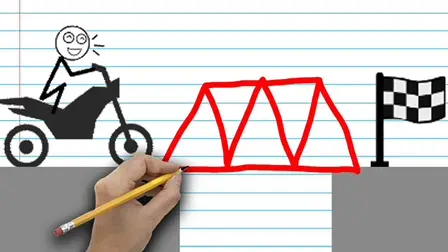
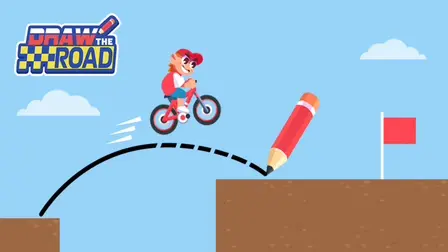
Dive into a unique blend of creative drawing and challenging physics puzzles in the Draw The Road Game. In this innovative game, your finger acts as the architect, engineer, and driver all at once. Your mission is simple yet demanding: sketch the road, set up the layout, and guide your vehicle safely to the finish line across treacherous gaps and obstacles.
Why We Recommend Playing Draw The Road
Finding a puzzle game that seamlessly merges creative sketching with dynamic vehicle physics offers a refreshing challenge. Here is why this drawing puzzle stands out:
- Creative Freedom: Every line you draw instantly transforms into a real, drivable road, letting you design custom ramps, bridges, or loops.
- Realistic Physics: The game features a realistic physics engine where precision is everything. A shaky curve or an overly steep climb can cause your vehicle to crash.
- Engaging Puzzle Design: Combining drawing mechanics with vehicle physics creates a rewarding experience that tests both your creativity and timing.
- Instant Browser Access: Jump straight into the puzzle action directly in your web browser with zero download setups required on your PC or mobile device.
How to Play Draw The Road
Mastering the road requires a steady hand and a good eye for engineering:
- Assess the Gap: Look at the terrain layout and the distance to the finish line before you start drawing.
- Sketch the Path: Use simple drawing mechanics to sketch the perfect path across the chasm, whether it is a smooth ramp or a sturdy bridge.
- Test Your Design: Watch as your vehicle rolls across your custom-drawn road toward the target.
- Adjust for Physics: Fine-tune your drawing angles carefully to ensure your vehicle survives the realistic physics engine without crashing.
Pro Tips for Master Architects
- Keep Lines Smooth: Avoid making sharp, shaky curves, as they will violently upset your vehicle’s momentum and lead to a crash.
- Build Gradual Inclines: Instead of steep vertical climbs, design gentle slopes so your vehicle can maintain enough speed to clear obstacles.
- Experiment with Arcs: If your vehicle keeps missing the landing, try redrawing your bridge or ramp with a wider, more gradual arc.
Controls
Desktop Controls
- Draw Road: Click and Drag with your Left Mouse Button to sketch paths across the screen.
- Interact: Left-Click menu items and buttons.
Mobile Controls
- Draw Road: Use One-Finger Touch and Drag to sketch your roads directly onto the screen.
- Interact: Tap the screen to select options and menus.
👉 Discover more games: Check out our collection of Free Online Puzzle Games for more creative challenges and physics simulators!