










About Animal Clinic Anomaly Game
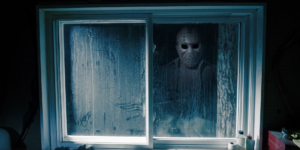
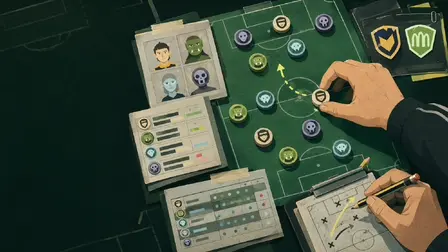
Welcome to the night shift where nothing is as it seems in Animal Clinic Anomaly Game! This unique title blends mundane hospital simulation with creeping psychological horror and dark humor. As the on-duty veterinarian, you must process incoming patients, stamp forms, and run medical tests on seemingly cute animals. But stay sharp—terrifying anomalies are hiding among the regular pets. You must look twice, spot what doesn’t belong, and fight off attacks to protect your sanity and survive your shift!
Why We Recommend Playing Animal Clinic Anomaly Game
Finding an anomaly-hunting horror game that seamlessly blends the “spot the difference” genre with a fully interactive 3D job simulator is rare. Here is why this title stands out for horror fans:
- Tense Atmosphere: The contrast between adorable, colorful animal patients and sudden, sanity-draining horror creates a highly engaging psychological experience.
- Immersive Workflow Mechanics: You aren’t just looking at cameras; you are actively stamping forms, taking patient photos, operating registration computers, and escorting pets to rooms.
- Active Survival Elements: Unlike passive observation games, you can use inventory items, weapons, and desperately mash buttons to break free during an anomaly attack.
- Instant Browser Access: Jump straight into this terrifying vet clinic directly in your web browser with zero download setups required on PC or mobile.
How to Play Animal Clinic Anomaly Game
Surviving your shift and keeping the hospital from falling apart requires strict adherence to the clinic workflow and a very sharp eye:
- Intake the Patient: Talk to the animal patient waiting at the front desk.
- Process Paperwork: Stamp their medical forms and take a mandatory patient photograph.
- Register the Visit: Use the reception computer, print out their clinic badge, take it, and place it properly.
- Begin Treatment: Escort the patient to an examination room to run tests and administer care.
- Hunt for Anomalies: Carefully observe the patient and the environment (like checking the green waste bin with a white triangular recycling symbol). If an animal looks wrong, take action!
- Defend Your Sanity: If an anomaly attacks, rapidly press your action button (LMB) to break free and survive.
💡 Pro Tips for Survival
- Check the Cameras: Regularly use the security monitors to spot environmental shifts in the hallways before escorting patients.
- Trust Your Gut: Anomalies can look almost entirely normal. If a pet’s eyes, proportions, or behaviors seem slightly off during the photo stage, prepare for the worst.
- Manage Your Quota: Focus on completing your required shift quota efficiently; the longer you linger, the faster your sanity drains.
Controls
PC Desktop Controls
- Move Character: Use
WASDto walk around the clinic. - Look Around: Hold the Right-Mouse Button (RMB) and move your mouse to aim your camera.
- Jump: Press
SPACEBAR. - Interact: Press
E(or click the on-screen prompt) to talk, use computers, and open doors. - Inventory: Press
1–9to select your active item or weapon. - Use Item / Escape Grab: Click the Left-Mouse Button (LMB) to use an item, or mash it to break free during an anomaly attack.
- Camera System: Press
Q(Previous),E(Next), andSPACEBARorESCto exit the monitors.
Mobile Smartphone Controls
- Move Character: Use the Left Joystick on the touchscreen to walk.
- Look Around: Swipe on the right side of the screen to aim your view.
- Actions: Tap the on-screen buttons to Jump and Interact with patients or items.
- Camera System: Use the dedicated on-screen buttons to cycle through security feeds or exit.